
An open gateway.
A different vision.
Detecting human presence.
Rethinking the protection of industrial access points.
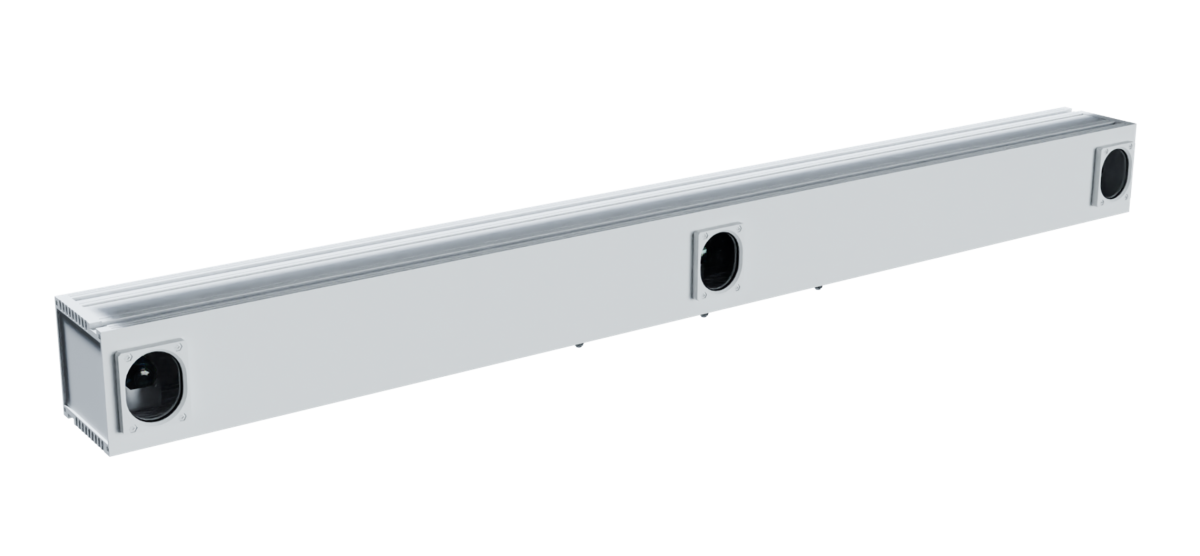
3D Safety Sentinel®Developed by WIDE Automation
The space stays clear.
Vision becomes safety.
3DSS™ Gate is the vision system developed by WIDE Automation to detect human presence, even partial, at industrial access points. It uses cameras installed above the area and a safety trigger area defined for the application, leaving the passage free of a physical barrier. The safety function must be designed and verified within the complete system.
Human presence
A technology developed to recognise the presence of people in the monitored area.
Two distinct areas
A field of view processed continuously and, within it, the safety trigger area defined for the application.
Modular design
Several units can be placed side by side to adapt the system to the geometry of the access point.
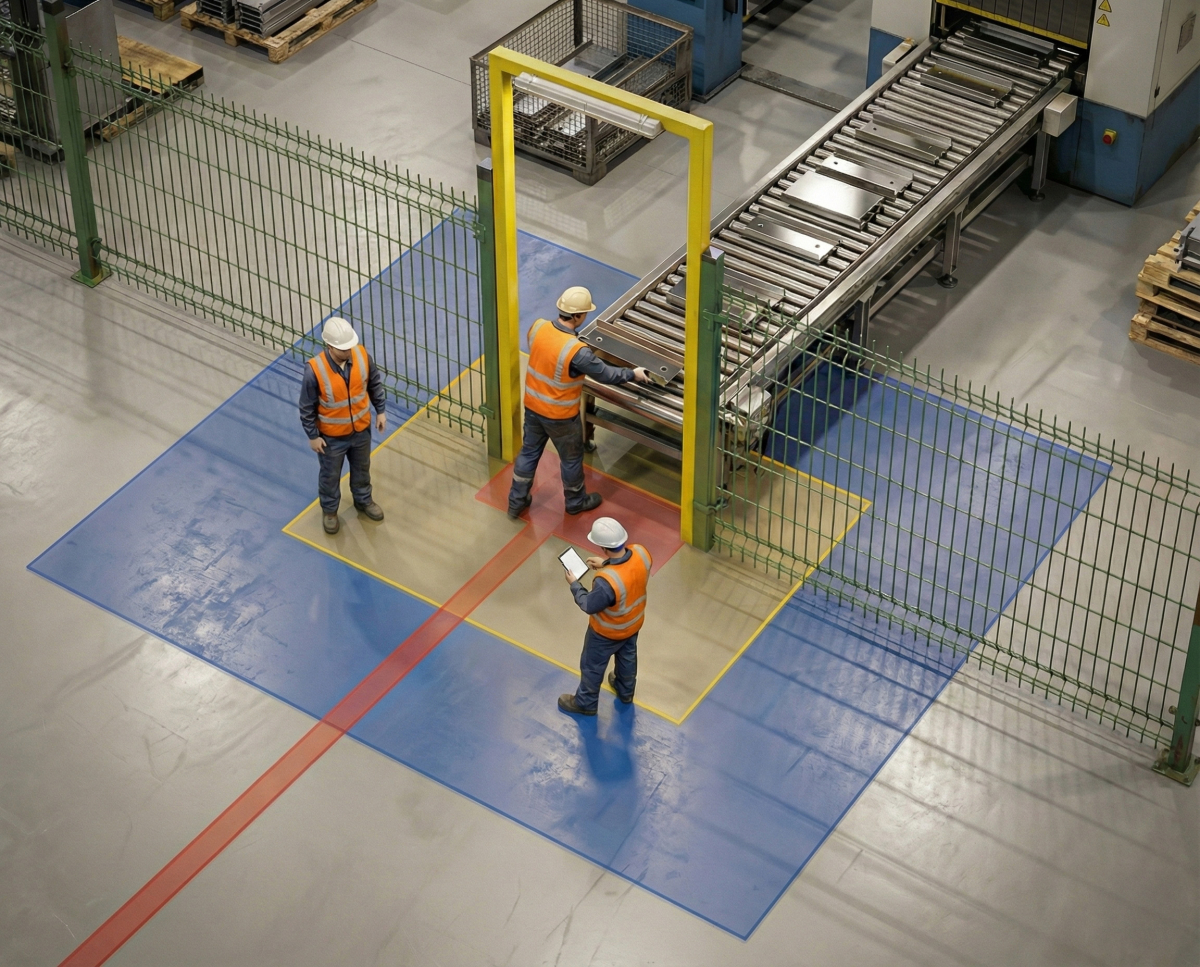
A field of view.
A safety trigger area.
An access point is not just a line.
It is a space to read and design.
The whole field of view is processed.
The entire area seen by the cameras is processed continuously to detect the presence of people. The field of view is not the safety trigger area.
Areas and path are for demonstration only, not a safety configuration. Dimensions, logic and machine reactions require specific assessment and validation.
Designing the access point.
Not just passing through it.
Geometry, flows, environment and integration:
this is where a technology becomes a project.
Understanding the flows
People, handling and access: we start from what really happens around the machine. Consider Gate when the passage must stay free of physical barriers and human presence, even partial, must be detected.
Defining the area
We assess the space and the visibility conditions before choosing the configuration. For wider access points or adjacent entrances, we assess placing several units side by side.
Validating the integration
The safety function must be designed and verified within the complete system.
Choosing an approach
A safety light curtain detects what crosses its monitored plane; Gate uses cameras installed above the area and detects human presence in the safety trigger area. Which solution to adopt depends on the risk assessment of the application.
The space, under control.
From every perspective.
The field of view and the safety trigger area serve different functions. A three-dimensional view to read the reference configuration.
The field of view is the area seen at floor level: it is not the safety trigger area.
Illustrative passage and fencing, not an installation diagram. Safety trigger area aligned with the passage, machine area at the back. Positioning and guarding to be defined for the application; safety trigger area configurable only to reduce size, by a qualified technician.
Your access point.
More possibilities.
Multiple Gate devices can be installed side by side for wider access points, conveyor lines or adjacent entrances. WIDE assesses the configuration based on the layout and application.
Illustrative configurations, not installation diagrams. Representative supports; spacing and arrangement of the devices to be assessed with WIDE. The diagram guarantees no overall width or safety performance.
Seeing the field.
Defining the project.
Configuration starts from the live image. Areas are defined in relation to the access point, with changes recorded in a protected audit log.
Advanced technology calls for an equally precise technical path.
Talk to WIDE
Not a special effect.
A research direction.
Gate expresses WIDE’s work on machine vision applied to industrial safety. It brings together expertise in vision, processing and integration into the machine.
Application assessment with WIDE
Download brochureThe next access point
could be yours.
Tell us about the access, the flows and the machine.
Together we’ll assess compatibility with Gate.
To get started, have ready:
- 01Access point width and layout
- 02Flows of people and materials
- 03Mounting constraints
- 04Environmental and lighting conditions
- 05Machine logic
- 06One-off or series
Sales material and technical documentation
as part of the in-depth process with WIDE.